MacBook guide
MacBook Screen Damage: Repair or Replace?
Recognise MacBook display faults — cracks, lines, backlight patches — and your repair options.
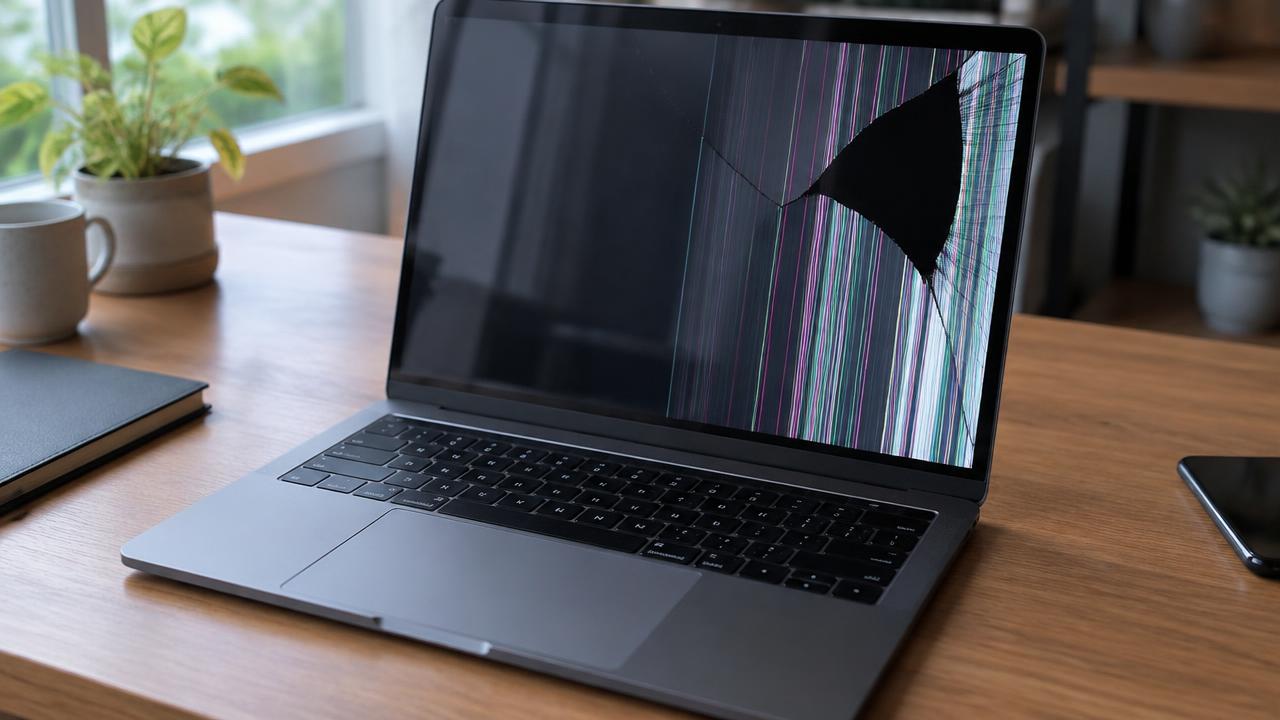
A MacBook display can crack from a closed-lid object, develop lines from a cable fault or show dark patches from backlight wear, and each has a different fix.
What the symptoms can mean
A crack with spreading black areas means panel damage. Lines that change when the lid moves suggest a display cable fault, while a dim but working screen points to the backlight.
What to do next
Avoid closing the lid on anything left on the keyboard, do not press the cracked area and connect an external monitor if you need to keep working. A diagnosis separates cable faults from panel damage before quoting.
Cable fault versus panel fault
Lines or flicker that change as the lid opens and closes classically point to the display cable flexing at the hinge — a smaller repair than a panel. A fixed crack, ink-like blotches or dead areas mean the panel itself is damaged and the display assembly is replaced. The distinction matters because the costs differ significantly.
What a display replacement includes
The complete display assembly is replaced as a unit, the hinge and camera are checked, and brightness, colour and True Tone are verified afterwards. The lid is opened and closed through its full travel to confirm the cables seat correctly. Done properly, the Mac looks and behaves exactly as it did before the damage.
When to arrange a diagnosis
If the problem continues after safe basic checks, a proper diagnosis is the best next step. It helps separate a replaceable part from a deeper board, power or software issue before any repair is approved.
Common questions
Can I keep using a MacBook with a cracked screen?
With an external monitor, yes, as a stopgap. But cracks spread with every lid movement, so treat it as temporary and book the repair.
Why does my screen flicker only at certain angles?
That is the classic sign of a fatigued display cable at the hinge. Caught early it is a cable repair; left long enough, it can damage the panel too.