Wearables guide
Apple Watch Not Charging? Safe Checks to Try
Rule out charger, cable and pairing issues when an Apple Watch will not charge.
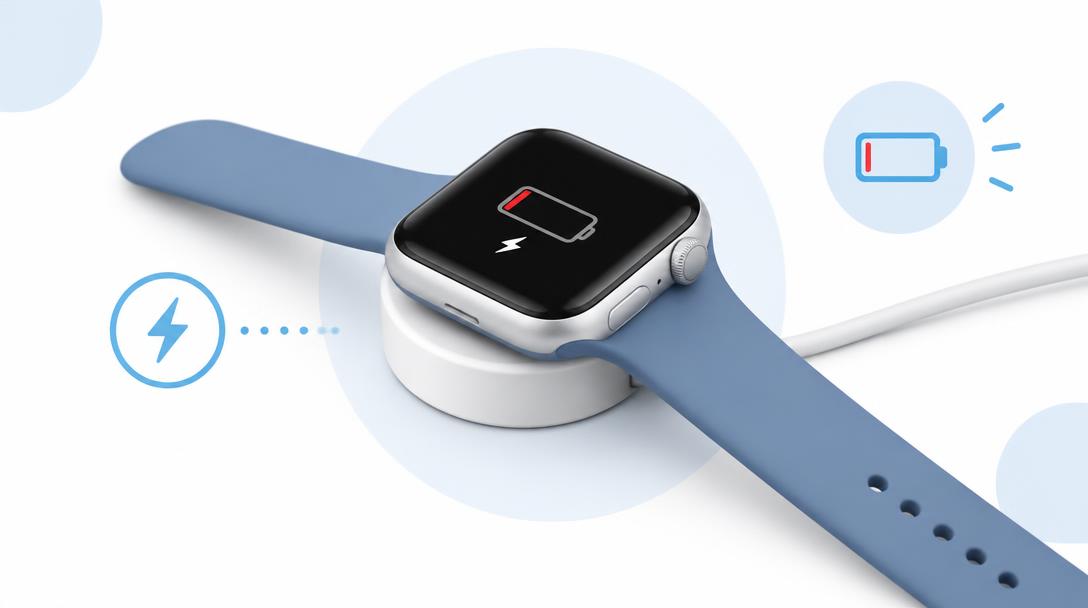
The watch charges through a sealed magnetic puck, so most charging faults start with the charger, cable or the back sensor window rather than the watch itself.
What the symptoms can mean
A charging symbol that appears briefly then disappears, a warm puck or a watch that stays at the same percentage can indicate charger or sensor issues.
What to do next
Clean the back of the watch and the puck, try another charging cable and restart the watch. Persistent faults need a battery and charging diagnosis.
Testing charger versus watch
Swap the charging puck and cable for another certified set, try a different power adapter and socket, and clean the charging circle on both the puck and the back of the watch — lotion, soap residue and sweat film block the magnetic connection more often than people expect. If the watch charges with another charger, the fault was the accessory, which is the cheapest possible outcome.
When a battery service helps
If charging fails only on the watch side, the internal battery or its charging circuit is the suspect. A specialist service opens the sealed body, tests the battery's capacity and connection, and replaces it where worn. A watch that only charges at a certain angle, or refuses charge while slightly warm, is showing battery behaviour rather than charger behaviour.
When to arrange a diagnosis
If the problem continues after safe basic checks, a proper diagnosis is the best next step. It helps separate a replaceable part from a deeper board, power or software issue before any repair is approved.
Common questions
Why does my watch stop charging halfway through the night?
Movement can shift it off the magnetic puck, or a warm nightstand can trigger a protective pause. Try a different spot and charging position before suspecting the watch.
Can I charge my Apple Watch on any wireless charger?
Only chargers that support the watch's magnetic charging standard. Generic Qi pads often fail or charge slowly — a certified puck is the reliable choice.