Gaming guide
Gaming PC Maintenance: A Simple Checklist
Keep a gaming PC clean, cool and reliable with sensible software and hardware checks.
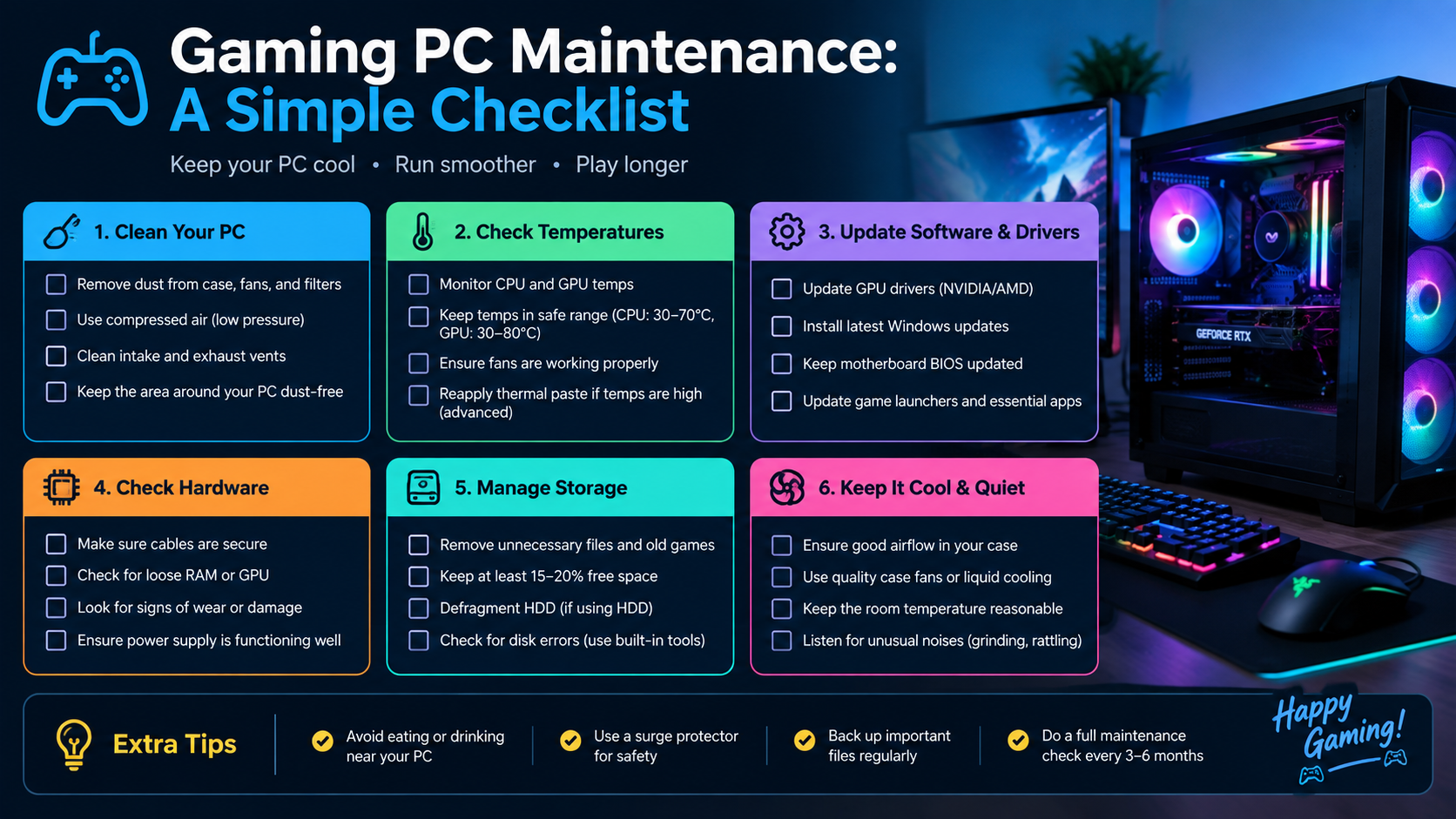
Regular maintenance helps a gaming PC maintain stable temperatures and performance. The goal is controlled cleaning and monitoring, not unnecessary part replacement.
What the symptoms can mean
Rising temperatures, new fan noise, crashes under load and dust on filters are signals to inspect cooling and software health.
What to do next
Shut down and unplug before cleaning, hold fan blades still when using air and avoid household vacuums on components. Update drivers carefully and monitor temperatures under a familiar workload.
A simple seasonal routine
Every month or two, rinse the dust filters and check that all fans still spin freely. Every six months, blow the case out with short bursts of air while holding fan blades still, and re-check cable airflow. After big driver updates or hardware changes, run a familiar game and compare temperatures — a rise of more than a few degrees means cleaning is due.
Warning signs parts need attention
Graphics temperatures climbing year over year, coil whine under load, crashes only during games and sudden game-file corruption each point somewhere specific: cooling, power delivery, memory or storage. Noting when the symptom appears — idle versus load, one game versus all — turns a vague 'it crashes' into a fixable diagnosis.
When to arrange a diagnosis
If the problem continues after safe basic checks, a proper diagnosis is the best next step. It helps separate a replaceable part from a deeper board, power or software issue before any repair is approved.
Common questions
How often should a gaming PC be cleaned?
Filters monthly, internal blow-out every three to six months. Dusty rooms, carpets and pets shorten those intervals.
Can dust actually damage components?
Indirectly, yes. Dust insulates heatsinks and blocks fans, so parts run hotter, throttle and age faster — heat, not the dust itself, does the damage.