Gaming guide
PS5 Overheating: Ventilation and Cleaning Guide
Improve PS5 airflow safely and understand shutdowns, fan noise and overheating warnings.
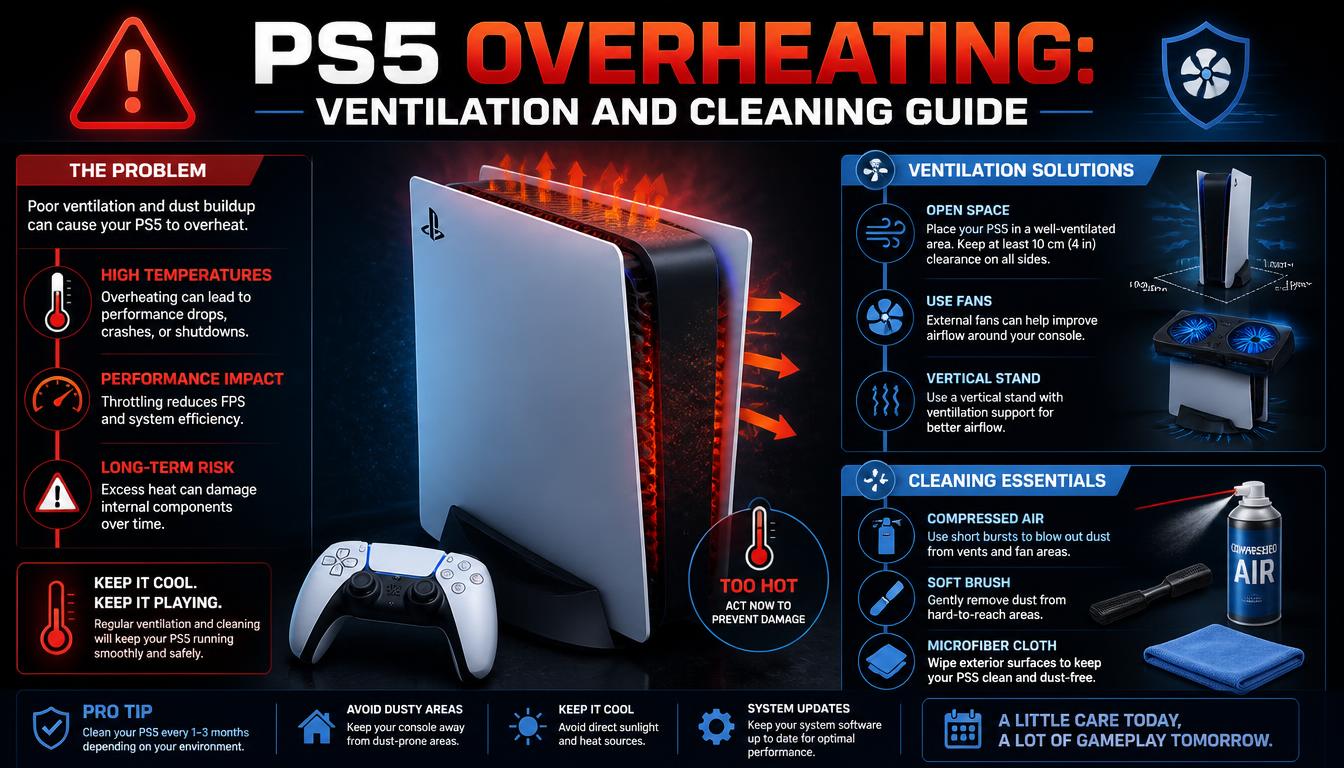
A PS5 needs clear airflow around its intake and exhaust. Dust accumulation and enclosed cabinets can increase temperature and fan noise.
What the symptoms can mean
Heat warnings, shutdowns during games and unusually loud fans can indicate restricted airflow or an internal cooling problem.
What to do next
Place the console in an open area, clear space around vents and remove surface dust with the console unplugged. Persistent shutdowns need internal diagnosis rather than repeated testing.
What internal PS5 cleaning covers
The console is opened without breaking the warranty seals, the fan and the large internal heatsink are cleared of dust, and the airflow path from intake to exhaust is checked. On consoles that have run hot for a long time, the liquid-metal interface on the main chip is inspected and renewed. Done properly, this drops operating temperatures noticeably and quiets the fan.
Best placement for a PS5
Stand the console where air can move freely around both ends, leave at least a hand's width of clearance, and never run it inside a closed cabinet or on carpet. In a dusty home, surface dust on the intake grilles should be wiped off every few weeks — the dust you see outside is a preview of what gathers inside.
When to arrange a diagnosis
If the problem continues after safe basic checks, a proper diagnosis is the best next step. It helps separate a replaceable part from a deeper board, power or software issue before any repair is approved.
Common questions
How often should a PS5 be cleaned internally?
Every 6 to 12 months in a typical home, sooner in dusty rooms or enclosed cabinets. Loud fan noise is the signal that cleaning is overdue.
Is a loud PS5 fan always a dust problem?
Usually, but not always — a failing fan or dried thermal interface causes the same symptom. A diagnosis distinguishes them before any parts are replaced.