Gaming guide
PS5 HDMI Port Problems: Signs and Safe Checks
Identify PS5 HDMI port damage, cable issues and display-setting problems before repair.
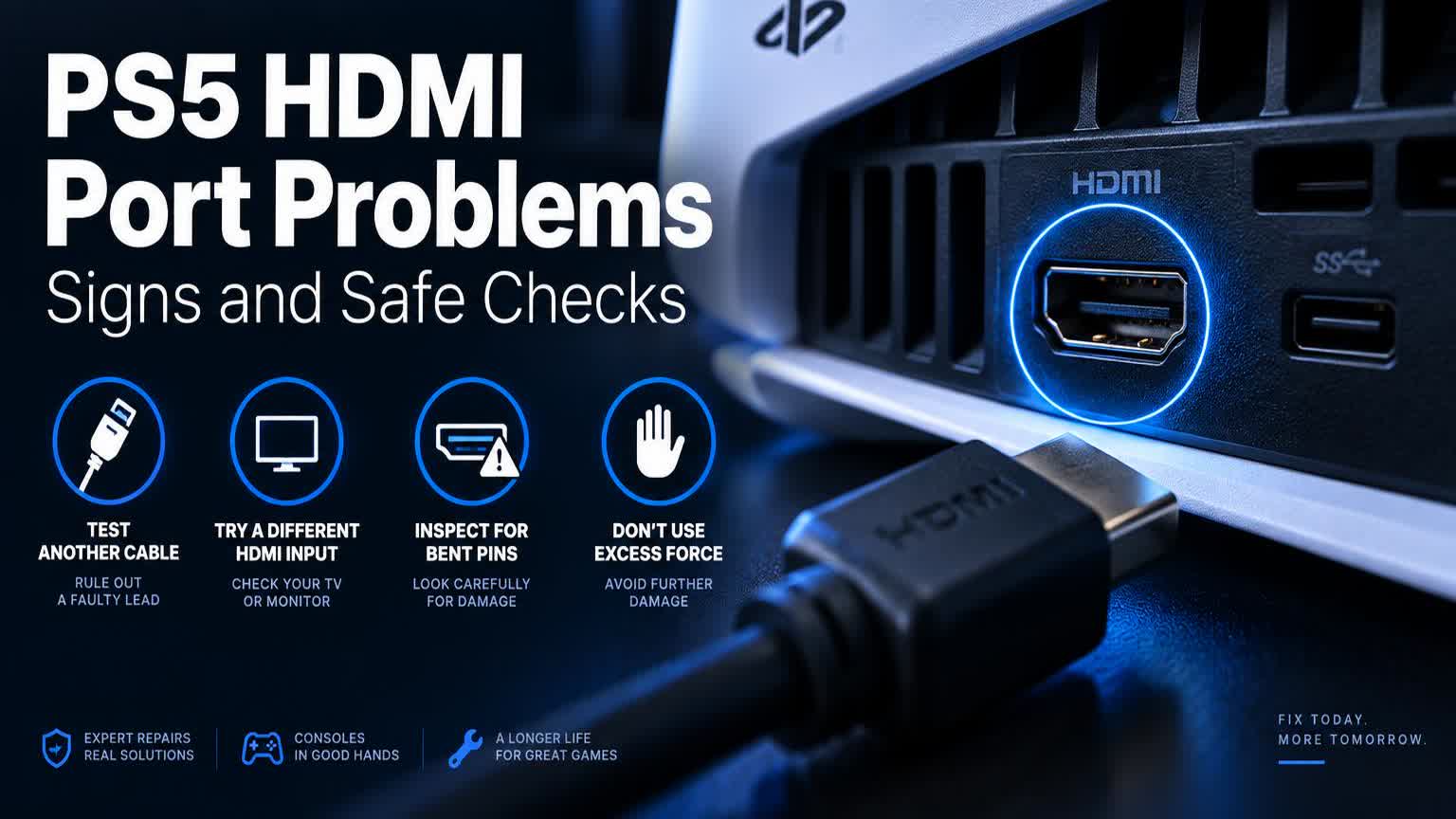
No picture from a PS5 can come from the HDMI cable, television input, console settings or physical port damage.
What the symptoms can mean
A loose connector, bent pins or an image that cuts out when the cable moves can indicate port damage. A stable port with no picture may need broader diagnosis.
What to do next
Test another HDMI cable and television input without forcing the connector. Inspect the port under good light. Avoid moving or twisting the cable while powered.
How HDMI port repair is done
A damaged PS5 HDMI port is replaced at board level: the old port is desoldered with hot-air equipment, the pads are inspected and cleaned, and a new port is soldered in place under magnification. It is precise micro-soldering, not a cable swap, which is why it needs a workshop. Afterwards the console is tested with 4K and high-refresh signals to confirm a rock-steady picture.
Protecting the repaired port
Most HDMI port damage comes from the console being moved while a cable is attached, or from cables pulled tight across a walkway. Give the cable slack, grip the plug — never the wire — when unplugging, and route it so nobody trips on it. With those habits, the new port should outlast the console.
When to arrange a diagnosis
If the problem continues after safe basic checks, a proper diagnosis is the best next step. It helps separate a replaceable part from a deeper board, power or software issue before any repair is approved.
Common questions
Can I still use my PS5 with a broken HDMI port?
Only through remote play on another device — there is no second video output. The port itself needs repair for normal TV gaming.
How long does PS5 HDMI repair take?
Typically one to two workshop days. The board-level soldering itself is quick; testing under different display signals is what takes the extra time.