iPhone guide
7 Signs Your iPhone Battery Needs Attention
Learn the common signs of iPhone battery wear, from rapid drain and shutdowns to heat and swelling.
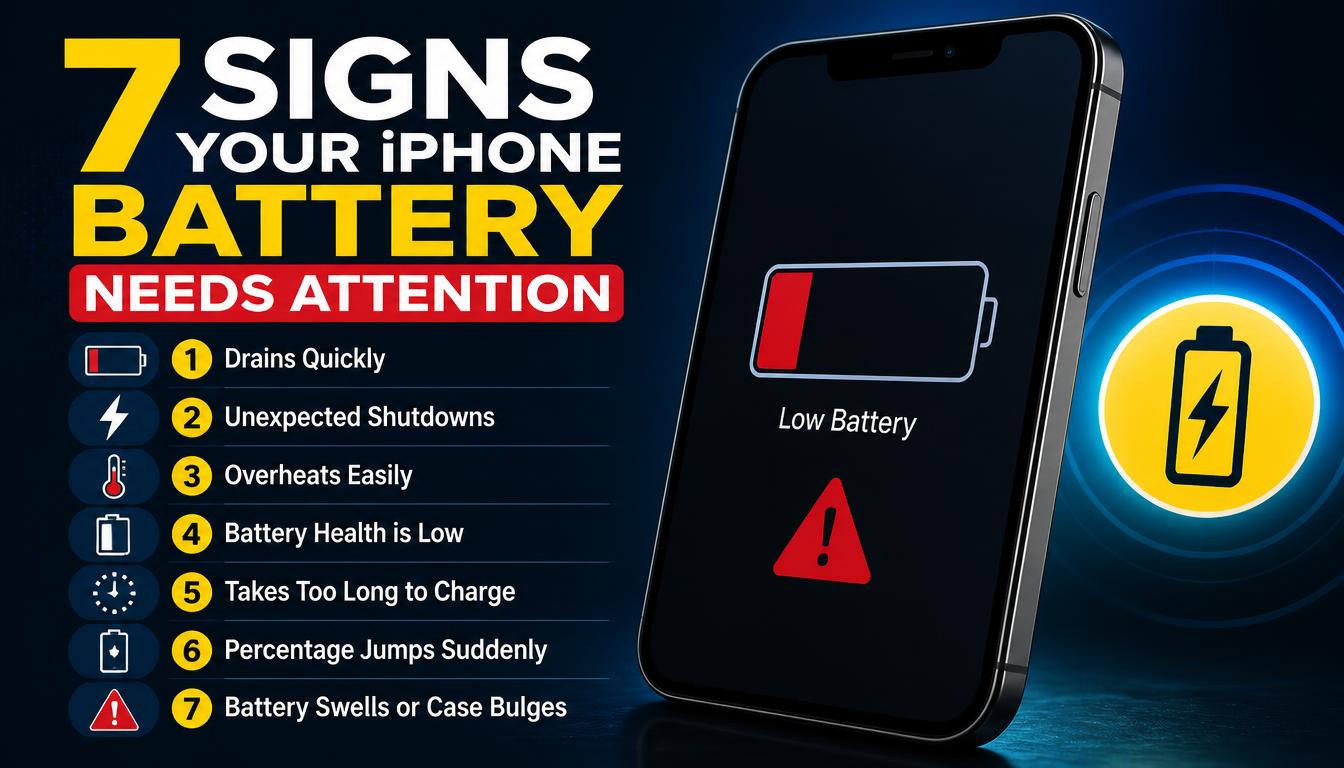
Battery performance changes gradually, so early signs are easy to miss. Paying attention to charging speed, heat and unexpected shutdowns can help you act before the phone becomes unreliable.
What the symptoms can mean
Rapid battery drain, sudden percentage drops, shutdowns under load and unusually slow charging can indicate an ageing battery. Screen lifting or a swollen case needs prompt attention.
What to do next
Check Battery Health in iPhone settings and update iOS before assuming the battery is faulty. If the phone is swollen, hot or physically separating, stop charging it and arrange an inspection.
What a battery replacement involves
A genuine-specification replacement battery is fitted, the connector and adhesive are seated correctly, and the phone is checked for correct charging behaviour and Battery Health reporting afterwards. A properly fitted battery sits flush behind the screen with no pressure on the display — which is why a swollen battery should never be handled with the phone powered on. The work is finished in our workshop, usually the same day.
Making a new battery last
Heat is the main enemy of lithium batteries, so avoid leaving the phone in direct sunlight, on a car dashboard or under a pillow while charging. Use certified chargers and cables, and remove thick cases if the phone gets warm during fast charging. Contrary to old advice, modern iPhones are happiest with regular top-ups rather than repeated full drains.
When to arrange a diagnosis
If the problem continues after safe basic checks, a proper diagnosis is the best next step. It helps separate a replaceable part from a deeper board, power or software issue before any repair is approved.
Common questions
Is 85% battery health still okay?
For most people yes — batteries are generally considered service-worthy down to around 80% of original capacity. Below that, or if shutdowns and drain start earlier, a replacement makes daily use comfortable again.
Can a swollen iPhone battery be dangerous?
A swollen battery is under physical stress and should not be charged, pressed or punctured. Power the phone down and bring it in for safe removal and disposal.