Gaming guide
PS5 Disc Drive Problems: Reading and Ejecting Faults
Understand why a PS5 rejects, won't read or won't eject discs and what helps.
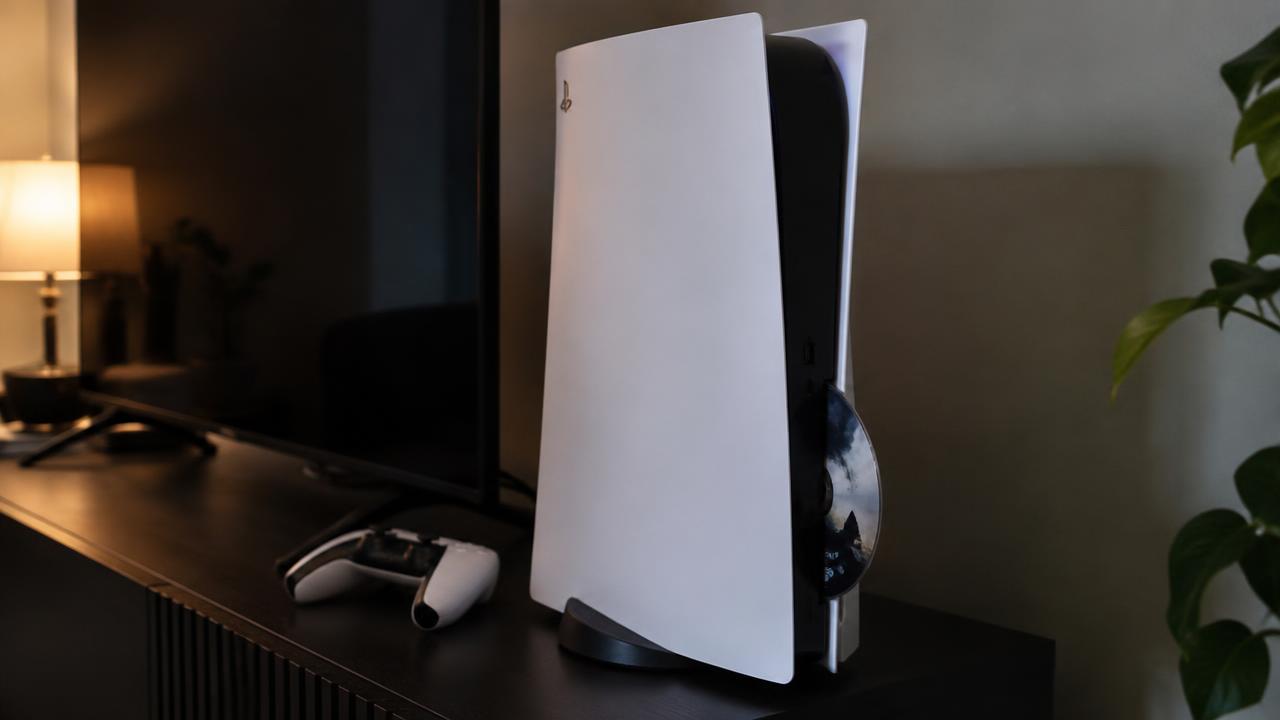
A PS5 that will not read discs, makes grinding sounds or refuses to eject usually has a dirty lens, a worn drive mechanism or a disc inserted at a bad angle.
What the symptoms can mean
Grinding or clicking during loading points to the mechanism. Discs that read intermittently suggest a tired laser lens, while a disc stuck inside needs careful manual handling.
What to do next
Try another disc to separate disc damage from drive faults, keep the console level and never force a disc in or out. A stuck disc should be removed with the proper procedure, not pulled.
How drive repairs are done
The drive is opened, the laser lens is cleaned or replaced, and the loading rollers and mechanism are inspected for wear. A stuck disc is removed through the manual eject path without stressing the mechanism. After the repair, the drive is tested with game and film discs through full load and eject cycles.
Keeping the drive healthy
Insert discs straight and let the mechanism pull them in — pushing at an angle bends the guides over time. Keep discs clean and scratch-free, since the drive works harder on damaged discs, and avoid moving the console while a disc is spinning inside.
When to arrange a diagnosis
If the problem continues after safe basic checks, a proper diagnosis is the best next step. It helps separate a replaceable part from a deeper board, power or software issue before any repair is approved.
Common questions
Why does my PS5 take discs but not read them?
Usually a dirty or worn laser lens. Cleaning restores most drives; a worn laser is replaced as a unit and reads like new.
Can I remove a stuck disc myself?
There is a manual eject procedure, but done wrong it damages the mechanism. If the disc matters to you, let a workshop remove it safely.